Sharing your skill
You have written SKILL.md, optionally added references/ and scripts/, and the skill works. Now the practical question: how do you actually use it, share it with others, or publish it to a catalog? This chapter covers four scenarios in order of effort.
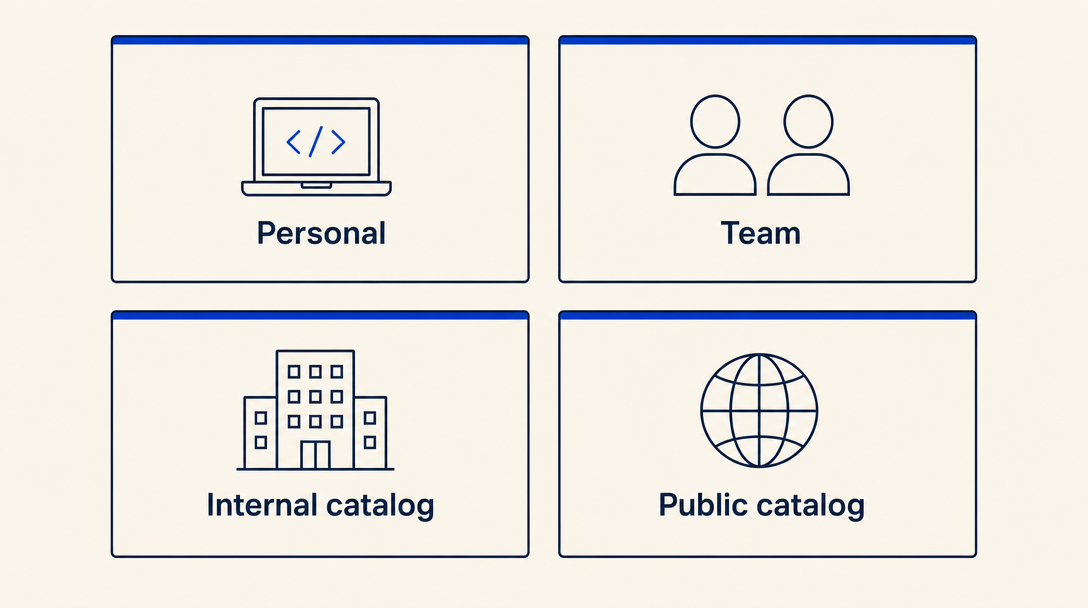
Scenario A: Personal skill, local only
The simplest use: keep the skill on your own machine. Most hosts that support the skill format let you install a skill from a local folder. For example, in Claude Code:
claude skill install /path/to/your-skill-folder
That is it. The skill is now available in your Claude Code sessions. No publication, no review, no catalog. Personal skills are perfectly valid and often the best fit for skills that are specific to YOUR workflow.
Scenario B: Share with a team or a friend
You want a colleague to use your skill. Two common patterns:
- Zip the folder, send it. Create a ZIP of the skill directory (
zip -r my-skill.zip my-skill/), send it via Slack / email / Drive. The recipient must extract the ZIP first, because most hosts (Claude Code included) install from an unzipped folder path, not from a ZIP file directly. After extracting, they runclaude skill install /path/to/extracted/my-skill. Verify the extracted folder containsSKILL.mdat its root, not nested one level deep (some unzip tools wrap the contents in an extra folder named after the archive). - Push to a private git repo. They clone, install from the local clone with the same
claude skill installcommand. Easier to keep in sync as you iterate (git pull+ reinstall pulls your changes); works well for a team.
Both approaches assume the recipient knows how to install a local skill on their host. For non-developer audiences, a public catalog (Scenario D) is often easier.
Scenario C: Internal company catalog
If your team or company has a shared internal catalog (an internal directory of skills your engineers can install from), follow your organization's contribution process. Common patterns: PRs to an internal git monorepo, a private npm registry, or a custom internal install script. The skill content is unchanged; only the distribution mechanism differs.
Scenario D: Publish to a public catalog
If your skill is useful to people beyond your team, consider a public catalog. The two main options as of 2026:
- The Anthropic skill registry (when generally available), the canonical place for general-purpose skills.
- Topic-specific community catalogs. The Israeli-context catalog at agentskills.co.il accepts community submissions for skills relevant to Israeli users (Hebrew, Israeli APIs, Israeli law). Other community catalogs exist for other niches.
The contribution process varies per catalog. Most public catalogs ask for: the SKILL.md folder, a description of what your skill does, and some form of review (automated lint + human signoff). Catalogs that ship bilingual content ask for a per-language companion file and a metadata.json sidecar with catalog-specific display data. Read the catalog's contribution guide before submitting.
Validation checklist before sharing
Whichever scenario you pick, a quick local sanity-check saves embarrassment:
- YAML frontmatter has
name,description, andlicense; no extra nested keys - The
namefield equals the folder basename - Any files you reference from SKILL.md in
references/orscripts/actually exist in the folder - The description has a clear "Use when..." pattern AND a "Do NOT use for..." clause
- If you have multiple language versions or a
metadata.jsonsidecar, they are internally consistent (slugs match, no missing translations) - Run the skill yourself on a fresh Claude Code session and verify it loads and behaves as expected
Versioning + change tracking
When you update your skill, bump a version somewhere (either a version field in your frontmatter, or in metadata.json if you have one, or a git tag). Semver works well: patch (0.0.X) for fixes, minor (0.X.0) for additions, major (X.0.0) for breaking changes or scope shifts.
For public catalogs, the catalog will usually handle changelog distribution to your skill's followers. For personal or team skills, keeping a simple CHANGELOG.md next to your SKILL.md is enough.
How updates reach existing installers
The spec doesn't define an auto-update mechanism, so update delivery is per-host. Local installs require the user to re-run claude skill install /path/to/folder after a git pull or fresh ZIP extract. Public catalog installs (e.g., npx skills-il add ...) require re-running the install command to pick up the latest version; some catalogs notify followers when a skill they installed bumps its version. Internal git monorepos usually settle on a small git pull && reinstall script run on a schedule.
Practical implication: if your skill has time-sensitive content (rates, prices, current rules), assume some fraction of your users WILL be running a stale copy weeks after you bump. Either commit to keeping the skill evergreen, or design the body so stale numbers fail loudly ("verify against the source before relying on these").
The most common mistake in Chapter 5: shipping a skill update without bumping the version. Consumers of your skill (or your future self) cannot tell what changed. Always bump the version; always note what changed in one sentence somewhere.
Want to keep reading?
Sign in to unlock the rest of the course and track your progress.